













Using the SmartTabUI touchscreen pendant: jogging, settings, Measure and Record, running jobs, recovery, Z adjust and rewind, and installing and registering the firmware.
02 Nov
0
27
Short videos of the SmartTabUI pendant, one topic at a time, from installing it to recovering a job.SmartTabUI in one minuteInstalling the pendantPendant settin..
17 Oct

0
171
Prefer to watch? See the pendant video tutorials: 10 short videos from installing the pendant to recovering a job.SmartTabUI is the firmware of the dpCREATOR pe..
17 Oct
0
139
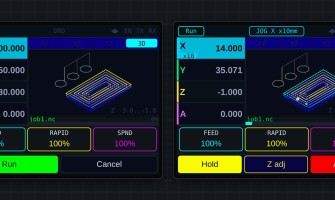
A double-tap of the pendant's ENABLE button at idle opens two tools that work together with the WebUI: Measure part finds a workpiece's size and centre from its..
17 Oct
0
209
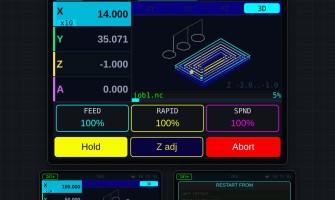
Prefer to watch? See the pendant video tutorials: 10 short videos from installing the pendant to recovering a job.SmartTabUI is installed and updated only from ..
12 Oct
0
341
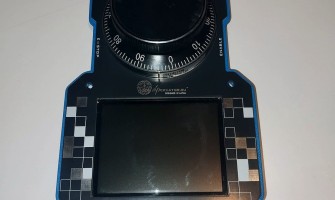
This guide takes you from the parts on the bench to a working SmartTabUI pendant. You need the SmartTabUI pendant firmware. The PETG case print files are free...
12 Oct
0
159
The SmartTabUI pendant connects to the controller with a wired serial link (UART1), not over the network. It keeps working when Wi-Fi or Ethernet drops.
The as..
12 Oct
0
137
The pendant and the WebUI share one job: whatever you prepare on one shows on the other.
While a job runs, Hold and Abort sit under the override boxes, and the..
12 Oct
0
159
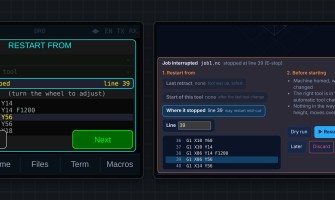
The controller writes down the line every SD-card job is at, to flash, every few seconds and immediately on Hold or a stop. A power cut doesn't lose it. Any jo..
12 Oct
0
136
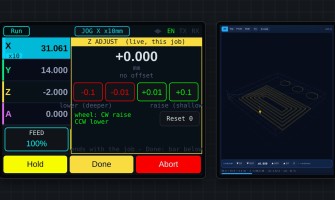
Live Z adjust
Change the cutting depth while the job runs — for example when the first pass shows the material is thicker than expected.
+ raises the tool (sha..
Showing 1 to 9 of 9 (1 Pages)