













17 Oct
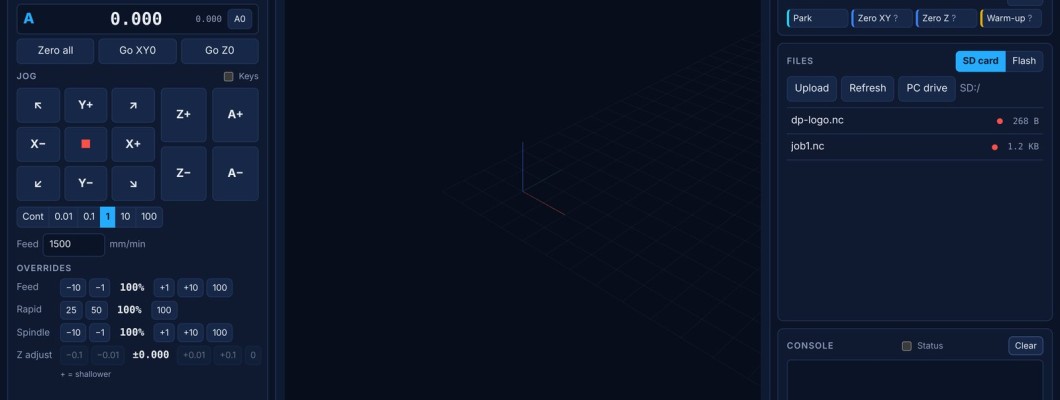
What changed in each build of the dpCREATOR controller firmware, the SmartTabUI pendant firmware and the dpCREATOR WebUI, newest first. The list of latest changes updates by itself whenever a new build is published. All three update from the Flash Firmware page. They are developed together, so update all of them at the same time.
Found a bug? Write to us with what you did, what happened and the build numbers: the WebUI footer shows the WebUI and controller builds, and the pendant shows its build on the boot screen. If the controller restarted by itself, add the crash report:
$Crash in the console, or Copy details in the WebUI.Current builds
Latest changes
Updated automatically from each published build, newest first.
Highlights explained
A plain-language summary of the main changes up to 20 October 2026.
dpCREATOR controller firmware
FluidNC 4.1.1 with W5500 Ethernet and the dpCREATOR commands. Free for every customer.
20 October 2026
- New: a laser next to the router: give the laser spindle its own tool number (
tools: 2) and its offset from the router bit (offset_mm:).M6 T2switches to the laser with the offset applied, so one work zero serves both. See Router and laser on one machine. - New: laser jobs carry their power in the toolpath preview, so the pendant and the WebUI show the burn.
- New:
$Homedtells the WebUI and the pendant which axes have homed since power-up. - Fixed: the pendant could wait forever for a preview when the file was uploaded again while its preview was being sent.
17 October 2026
- New: the SmartTabUI pendant reports its chip ID and build to the controller when it connects, so the WebUI can show which pendant is attached.
- Changed: the default
config.yamland the docs name the SmartTabUI pendant.
16 October 2026
- New: the Record & Retrace waypoint list is kept on the board's SD card. The pendant and the WebUI edit the same list, and the pendant works with it without a PC. Saving writes
/retrace.ncwith drill holes and round or rectangle pockets. - New: when a WebUI tool (Centre Finder, Offcuts) takes the pendant's double-taps, the pendant is told, so the point goes to the right place.
15 October 2026
- New: a double-tap on the pendant's ENABLE button sends a point to the WebUI tools.
13 October 2026
- New: the board's 8 MB PSRAM is used. Boards with a module that has too little PSRAM get a warning in the WebUI and on the Flash Firmware page.
- New: the board reports its ID, which the WebUI installer uses. The dpCREATOR WebUI is now installed separately from the firmware.
- Fixed: the controller could crash on SD card access when its internal memory ran low. Pendant previews now wait for memory instead.
12 October 2026
- Fixed: restarts by the task watchdog. Opening the WebUI could lock up the controller while it was sending status reports.
- Fixed: the WebUI became slow, and pendant previews failed, while the controller was sending to the pendant. Sends to the pendant are buffered and previews are paced.
- Improved: the WebUI stays connected while jogging. Old status reports are dropped instead of the connection being closed.
- New: after a watchdog restart the controller keeps a report of what it was doing, shown by
$Crash, in the boot log and in the WebUI.
SmartTabUI pendant firmware
The pendant firmware, installed from the Flash Firmware page. Your pendant settings are kept on update.
20 October 2026
- New: the PART view on the DRO screen shows the part the job makes, carved out of a block, carved live while the job runs. Turn it with the handwheel (AXIS on OFF) or switch to a shaded top view. Laser jobs show the burn.
- New: the third override box reads LASER while the laser is selected or a laser job is loaded.
17 October 2026
- New: registration. A pendant is registered by its chip ID the first time it is installed with a licence. Nothing is locked: an unregistered pendant works fully and shows Not registered on the boot screen and in Settings. See Installing, updating and registering SmartTabUI.
- New: Record mode can set the feed, plunge and ramp (helix entry angle) for each waypoint.
- New: Rewind shows a progress bar of how far back along the path it is, and the panel stays open until Rewind ends.
- Changed: Measure → Go to centre lifts Z to the top first, like Home → Go to 0.
16 October 2026
- New firmware: SmartTabUI, written from scratch. DRO with the step selector, home and probe menu, macros, spindle, file browser with toolpath preview, Prepare and Run, live Z adjust, Rewind, job recovery and Record & Retrace.
- New: a double-tap on ENABLE asks whether to measure the part or record waypoints.
- New: Dark, Neutral and Light themes; Settings with an input monitor and a UART monitor; restart with E-stop + ENABLE held for 3 seconds.
- New: boot screen with the build number, and beeps when you turn the axis or step selector.
- Fixed: the Record & Retrace popup closed by itself after each point.
- Fixed: live Z adjust now stays on screen until the controller confirms it.
- Fixed: running a file no longer holds up other commands from the pendant.
dpCREATOR WebUI
The browser interface, installed on the board from the Flash Firmware page (WebUI tab).
20 October 2026
- New: live 3D view while a job runs: the spindle or laser module moves over the job, the cuts are coloured by depth, and a card shows the time left and progress. Follow, Auto-fit, Spindle view and Stock switches.
- New: Part view: the part carved out of the block with the selected bit, live while the job runs, with an optional faint toolpath on top. Laser jobs show the burn.
- New: the run bar under the view with Cycle start, Pause, Stop, Probe, coolant and override sliders. For a laser job it shows the laser power in %.
- New: the position shows Work and Machine columns, a Not homed chip when the machine has not homed, and zeroing needs a short hold, so a stray click can't move the work zero.
- New: Probe Z0 with a touch plate or a 3D probe.
- New: a laser on its own tool number gets a T2 laser button in the tool column.
- New: the Studio button switches to Studio's tab when it is already open, and Studio's WebUI button switches back.
- Fixed: the bed and travel are only drawn when they are real (homing and soft limits on), so the job is no longer shown off the grid on a machine that has not homed.
- Fixed: the footer could show an up-to-date build in red.
17 October 2026
- New: update notice. About once a day the WebUI asks dpcreator.eu whether newer builds exist and shows update available in its footer. You can turn this off in the footer.
- New: the footer shows the build of the connected pendant.
- New: registration notice. Nothing is locked: an unregistered WebUI shows a small notice that you can hide for a week.
16 October 2026
- New: Record & Retrace has a waypoint map and an editor for the selected waypoint, matching Record mode on the pendant.
- New: the waypoint list is kept on the board and shared with the pendant; rectangle pockets.
- New: Measure part on the pendant opens the Centre Finder; clearing the corners clears them on both.
15 October 2026
- New: Centre Finder: measure a part from its corners, see its size, set work zero at its centre or a corner, and make a surfacing job.
- New: Record & Retrace: jog to marked points, add waypoints and turn them into a drilling or pocketing job.
- New: Offcuts → DXF: record the outlines of offcuts or the workpiece (with 45° edge snap) and export them as a DXF to place your drawing on.
- New: tool library with a floating tool picker, tool-change modes with park positions per tool, and an M6 macro generator.
- New: probe the material height, set Z0 from the tool setter, and set X0/Y0 at measured points.
- New: jogging (including 45° diagonals) keeps working while Centre Finder, Record & Retrace or Offcuts are open.
- Fixed: files saved from the WebUI could arrive on the board empty. Saves are now checked and retried.
- Fixed: the Record & Retrace list was squeezed by the G-code preview and could add the same point twice.
- Fixed: the Record & Retrace window could stay on screen after closing; safe Z now defaults to 5 mm and jobs with problems are blocked.
13 October 2026
- New: the dpCREATOR WebUI is a separate product, installed on the board from dpcreator.eu.
- Fixed: two WebUI tabs open at once no longer fight over the connection to the board.
- New: a warning when the board's module has no 8 MB PSRAM, and a message explaining when pendant previews pause because the board is low on memory.