













03 Nov
0
19
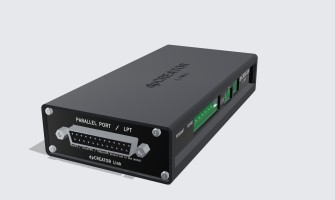
Coming soon. The Link is in development. Prices and dates aren't set yet. To hear when it's ready, subscribe to the newsletter at the bottom of this page or con..
02 Nov
0
25
Short videos of the SmartTabUI pendant, one topic at a time, from installing it to recovering a job.SmartTabUI in one minuteInstalling the pendantPendant settin..
01 Nov
0
39
Short videos of dpCREATOR Studio, one topic at a time, from the first run to a finished job. Videos marked Studio Pro show features of the Pro plan; you can try..
31 Oct
0
35
Short videos of the dpCREATOR WebUI, one feature at a time. New ones are added here as they are made.WebUI Pro overviewWhat is on the screen, connecting, joggin..
29 Oct

0
67
dpCREATOR PnP is a beta. Treat every first run as a test and tell us what happens: any issue you report gets fixed as soon as possible.
Safety
Wire an emergen..
29 Oct
0
79
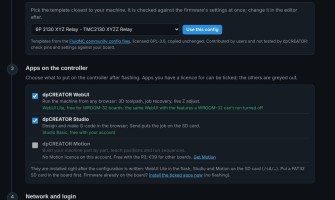
The Flash Firmware page now sets up more than the dpCREATOR R3. Pick your board, pick a configuration, tick the apps and type your network details, and the page..
28 Oct
0
116
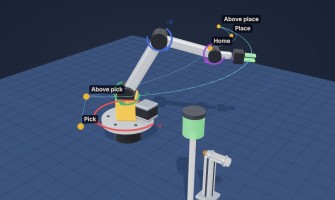
dpCREATOR Motion helps you build your own machine and make it work, even if it is your first. A robot arm, a conveyor, a rotary indexer, a pick-and-place gantry..
23 Oct
0
70
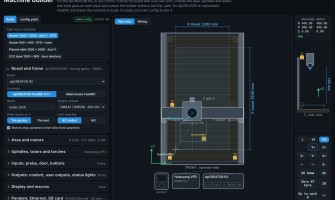
The Machine builder writes the config.yaml for your machine and draws the machine it describes, to scale. Choose the board, the axes, the spindles and lasers, a..
20 Oct

0
141
Prefer to watch? See the WebUI video tutorials, starting with Centre Finder.The dpCREATOR WebUI is the control page served by the controller itself. Open the bo..
17 Oct
0
158
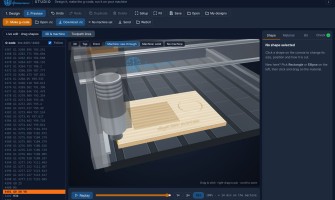
dpCREATOR Studio can also live on your controller, next to the WebUI. It then opens from the machine's own address, works without internet, and sends the g-code..
17 Oct
0
164
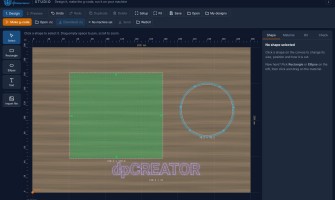
Prefer to watch? See the Studio video tutorials: 18 short videos from the first run to a finished job.dpCREATOR Studio is a free design and CAM program that run..
17 Oct
0
201
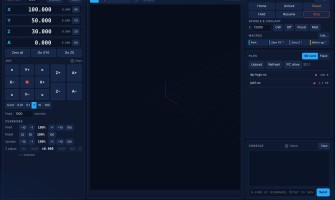
What changed in each build of the dpCREATOR controller firmware, the SmartTabUI pendant firmware and the dpCREATOR WebUI, newest first. The list of latest chang..
17 Oct

0
168
Prefer to watch? See the pendant video tutorials: 10 short videos from installing the pendant to recovering a job.SmartTabUI is the firmware of the dpCREATOR pe..
17 Oct
0
136
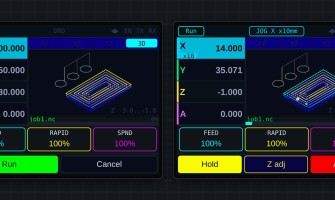
A double-tap of the pendant's ENABLE button at idle opens two tools that work together with the WebUI: Measure part finds a workpiece's size and centre from its..
17 Oct
0
205
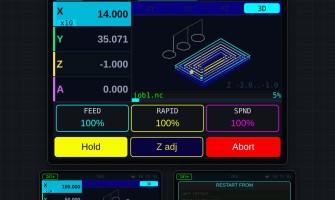
Prefer to watch? See the pendant video tutorials: 10 short videos from installing the pendant to recovering a job.SmartTabUI is installed and updated only from ..
13 Oct
0
219
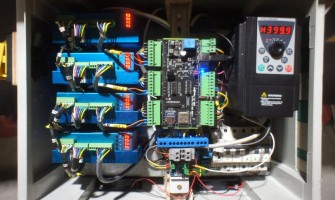
These are the earlier dpCREATOR controller boards. They are discontinued and no longer sold. This page shows them for reference and to help owners identify thei..
12 Oct
0
338
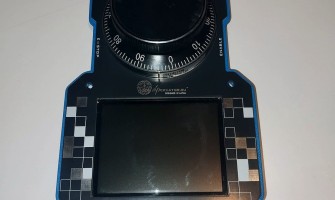
This guide takes you from the parts on the bench to a working SmartTabUI pendant. You need the SmartTabUI pendant firmware. The PETG case print files are free...
12 Oct

0
165
A dpCREATOR CNC setup has three parts: the controller board, the SmartTabUI pendant and the firmware on both. This page shows how they connect and where to rea..
12 Oct

1
154
Follow these steps once on a new board. Boards from the shop are already flashed — start at step 2.
Flash the latest firmware (blank board or big update only)..
12 Oct
0
217
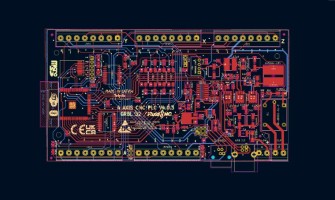
The dpCREATOR R2/R3 drives any machine that moves on step and direction signals: CNC routers and mills, lasers, plotters and drag knives, and plasma tables. Use..
12 Oct
0
193
The dpCREATOR R2 and R3 share one pinout. The table below matches the example config dpcreator_r2_r3_w5500.yaml that ships with the firmware.
Main features
ES..
12 Oct
0
171
A fresh firmware install already starts with Ethernet on and DHCP: plug in the cable and find the IP. Use this page to change to a fixed IP, or to switch back ..
12 Oct
0
194
The controller drives a spindle two ways: PWM + relay (default in the example config) or a VFD over RS485 (Modbus). Use one of them in config.yaml.
PWM + relay..
12 Oct
0
130
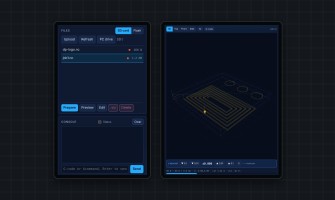
The board shares its SD card on your network at http:///sd. Map it once and copy G-code onto it like a USB stick. Pendant previews (.viz) are built automatical..
12 Oct
0
156
The SmartTabUI pendant connects to the controller with a wired serial link (UART1), not over the network. It keeps working when Wi-Fi or Ethernet drops.
The as..
12 Oct
0
134
The pendant and the WebUI share one job: whatever you prepare on one shows on the other.
While a job runs, Hold and Abort sit under the override boxes, and the..
12 Oct
0
156
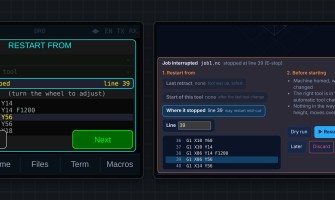
The controller writes down the line every SD-card job is at, to flash, every few seconds and immediately on Hold or a stop. A power cut doesn't lose it. Any jo..
12 Oct
0
133
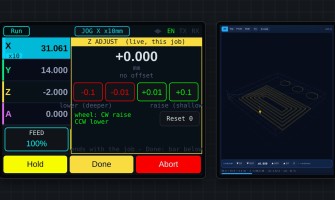
Live Z adjust
Change the cutting depth while the job runs — for example when the first pass shows the material is thicker than expected.
+ raises the tool (sha..
12 Oct
0
157
The Flash Firmware page installs the newest build straight from your browser. It always offers the latest version, built automatically from the source.
What yo..
12 Oct
0
153
There are two ways to update the controller. Pick the one that matches what you need.
MethodKeeps config.yaml?dpCREATOR WebUI
Full image (browser flasher, merg..
12 Oct
0
130
Flashing
ProblemFix
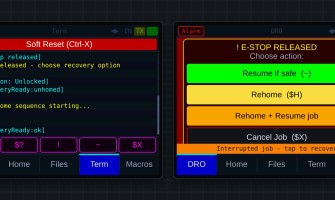
No serial port to pickUse Chrome or Edge, a USB data cable and another USB port. Close any other program using the port (gSender, serial mo..
Showing 1 to 31 of 31 (1 Pages)