













Start here: what the dpCREATOR system is and how the parts connect.
01 Nov
0
41
Short videos of dpCREATOR Studio, one topic at a time, from the first run to a finished job. Videos marked Studio Pro show features of the Pro plan; you can try..
29 Oct

0
69
dpCREATOR PnP is a beta. Treat every first run as a test and tell us what happens: any issue you report gets fixed as soon as possible.
Safety
Wire an emergen..
29 Oct
0
81
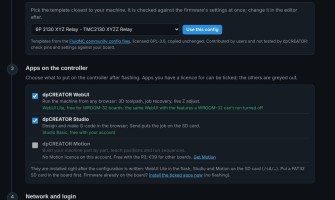
The Flash Firmware page now sets up more than the dpCREATOR R3. Pick your board, pick a configuration, tick the apps and type your network details, and the page..
28 Oct
0
118
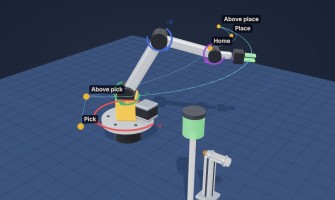
dpCREATOR Motion helps you build your own machine and make it work, even if it is your first. A robot arm, a conveyor, a rotary indexer, a pick-and-place gantry..
17 Oct
0
162
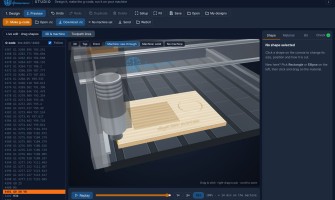
dpCREATOR Studio can also live on your controller, next to the WebUI. It then opens from the machine's own address, works without internet, and sends the g-code..
17 Oct
0
167
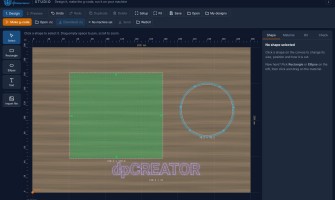
Prefer to watch? See the Studio video tutorials: 18 short videos from the first run to a finished job.dpCREATOR Studio is a free design and CAM program that run..
12 Oct

0
168
A dpCREATOR CNC setup has three parts: the controller board, the SmartTabUI pendant and the firmware on both. This page shows how they connect and where to rea..
12 Oct

1
157
Follow these steps once on a new board. Boards from the shop are already flashed — start at step 2.
Flash the latest firmware (blank board or big update only)..
12 Oct
0
220
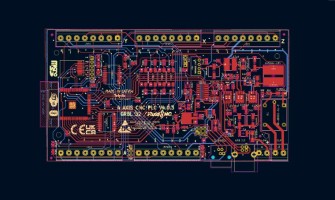
The dpCREATOR R2/R3 drives any machine that moves on step and direction signals: CNC routers and mills, lasers, plotters and drag knives, and plasma tables. Use..
Showing 1 to 9 of 9 (1 Pages)