













12 Oct
Flashing
| Problem | Fix |
|---|---|
| No serial port to pick | Use Chrome or Edge, a USB data cable and another USB port. Close any other program using the port (gSender, serial monitor). |
| "Device not supported" / can't connect | Hold the BOOT button while plugging in USB to enter bootloader mode, then try again. Check you picked the right tab (controller vs pendant). |
| Browser calls the download dangerous | False alarm on an unknown file. Choose Keep / Download anyway. |
Network
| Problem | Fix |
|---|---|
Ethernet PHY init failed | Missing spi: or ethernet: section, wrong pins, or wiring. |
| Link up but IP 0.0.0.0, ping fails | INT configured but not wired: set int_pin: NO_PIN. Or no DHCP server on that network. |
| Static IP: "Destination host unreachable" | Board and PC are in different subnets. Use an address in your PC's subnet. |
| gSender: "Remote mode has been disabled" | Use Config → Ethernet, not Remote Mode. |
| gSender: unable to connect | IP/port in Config → Ethernet must match the board ($Telnet/Port, default 23). Click Apply Settings. |
| Board on Wi-Fi access point "FluidNC" | config.yaml has no ethernet: section, or crashed 3 times in a row. Open http://192.168.0.1 and upload the right config. |
Pendant
| Problem | Fix |
|---|---|
$Pendant/Status says none | No uart_channel1 section in config.yaml. |
| No path or wrong path on the pendant | Check the WebUI console for VizErr; rebuild with the .viz button on the file. |
RX overflow / garbled messages on the pendant terminal | Bytes lost on the cable: use a shorter or shielded cable, or a lower baud rate (same on both ends). $Pendant/Debug shows the counters. |
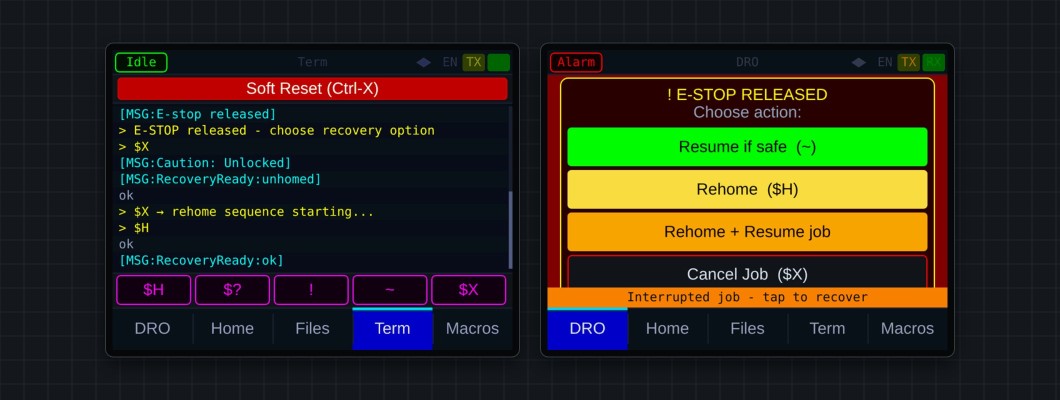
| No job recovery on the pendant | Controller firmware is older than the pendant's. Flash both. |
Crashes
If the WebUI shows Controller restarted after a crash, press Copy details and send the text to us through the contact form.
A problem may already be fixed in a newer build: see the release notes and bug fixes, then update from the Flash Firmware page.