













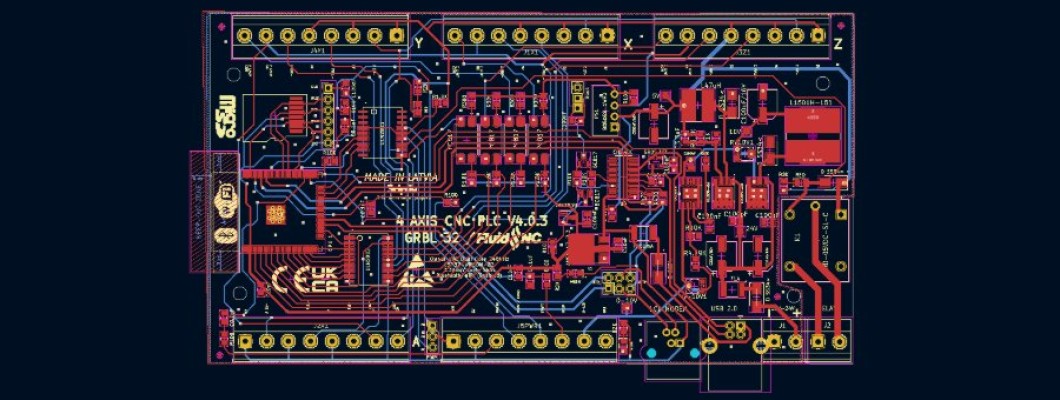
The controller drives a spindle two ways: PWM + relay (default in the example config) or a VFD over RS485 (Modbus). Use one of them in config.yaml.
PWM + relay (default)
PWM:
  pwm_hz: 5000
  output_pin: gpio.21
  enable_pin: gpio.39     # relay: spindle on/off
  direction_pin: NO_PIN
  spinup_ms: 2000
  spindown_ms: 2000
  speed_map: 0=0.000% 24000=100.000%
Set speed_map to your spindle's maximum RPM.
RS485 VFD
RS485 is on UART2 (TX GPIO42, RX GPIO41, driver enable GPIO40). Wire A/B to the VFD's RS485 terminals and set the VFD's own parameters to Modbus control at 9600 baud, address 1. Then replace the PWM: section with your VFD type, for example Huanyang:
uart2:
  txd_pin: gpio.42
  rxd_pin: gpio.41
  rts_pin: gpio.40
  baud: 9600
  mode: 8N1

Huanyang:
  uart_num: 2
  modbus_id: 1
  tool_num: 1
  spinup_ms: 5000
  spindown_ms: 5000
  speed_map: 0=0% 24000=100%
Supported VFD types in this firmware — use the name as the section header instead of Huanyang::
Huanyang · YL620 · H2A · H100 · NowForever · SiemensV20 · DeltaMS300 · FolinnBD600 · MollomG70 · DanfossVLT2800 · ModbusVFD (generic, set the registers yourself)
Other spindle types: PWM, 10V, Relay, OnOff, Laser, BESC, DAC, HBridge, PlasmaSpindle. Each VFD also needs its own parameters set on the drive for RS485 control (baud, address, run and frequency source) — see your VFD manual and the FluidNC wiki.
Safety: set up and test the VFD with the spindle unloaded and no tool fitted.